
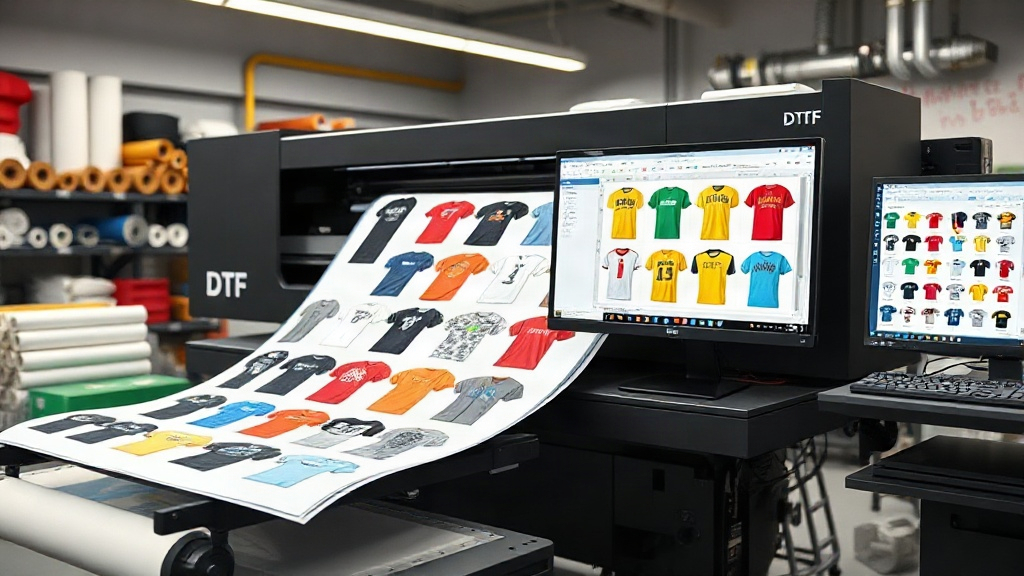
If you're in the custom apparel business, you've likely heard about DTF printing. It's a game-changer for creating vibrant, durable transfers on demand. But as your orders grow, manually arranging designs on a sheet becomes a bottleneck. That's where a DTF gangsheet builder comes in. This tool automates the layout of multiple designs onto a single film, maximizing efficiency and minimizing waste. In this guide, we'll dive deep into how a DTF gangsheet builder works, why it's essential, and how to use it like a pro.
What is a DTF Gangsheet Builder?
A DTF gangsheet builder is software or an online tool that helps you arrange multiple DTF transfer designs onto a single sheet of film. Instead of printing one design at a time, you can group several designs, nest them tightly, and print them together. This approach saves time, reduces material costs, and streamlines your production process.
Think of it as a digital puzzle solver: you upload your designs, set the sheet size, and the builder automatically positions them for optimal use of space. Some advanced builders even use AI to rotate and nest designs for maximum density.
Why You Need a DTF Gangsheet Builder
If you're still manually placing designs in your graphics software, you're likely wasting valuable time and film. Here's why investing in a dedicated DTF gangsheet builder pays off:
- Time savings: Automating layout cuts hours of tedious work, especially for large orders.
- Cost reduction: Tight nesting means you use less film and ink, directly improving your bottom line.
- Consistency: Ensure every sheet is optimized the same way, reducing errors and reprints.
- Scalability: Handle larger volumes without hiring more staff or working overtime.
Whether you're a solo entrepreneur or running a print shop, a gangsheet builder is a must-have for efficient DTF production.
Key Features to Look for in a DTF Gangsheet Builder
Not all gangsheet builders are created equal. When choosing one, consider these features:
1. Automatic Nesting and Rotation
The best builders automatically rotate and nest designs to fill gaps, maximizing film usage. Look for algorithms that minimize empty space.
2. Custom Sheet Sizes
You should be able to set custom dimensions based on your printer's capabilities and film roll width. Common sizes include 13x19, 22x24, and 24x36 inches.
3. Design Library and Templates
Some tools let you save frequently used designs or create templates for recurring orders, speeding up the process.
4. Integration with DTF Printers
Seamless export to your printer's software (e.g., RIP software) is crucial. Check for compatibility with your printer model.
5. Cost Calculator
Some builders include a cost estimator, showing you the film and ink cost per sheet, helping you price your products accurately.
How to Use a DTF Gangsheet Builder: Step-by-Step
Using a gangsheet builder is straightforward. Here's a typical workflow:
- Upload your designs: Import PNG files with transparent backgrounds. Ensure they are high resolution (300 DPI).
- Set sheet dimensions: Choose the size that matches your film and printer.
- Add designs to the sheet: Drag and drop or let the auto-nesting feature place them.
- Adjust spacing: Leave a small gap (e.g., 0.1 inch) between designs for easy cutting.
- Preview and optimize: Check the layout for any overlaps or wasted space. Manually adjust if needed.
- Export and print: Save the gangsheet as a PDF or directly send it to your DTF printer.
Pro tip: Always print a test sheet with new designs to check color vibrancy and adhesion before full production.
Best Practices for DTF Gangsheet Building
To get the most out of your DTF gangsheet builder, follow these expert tips:
- Group by size: Place larger designs first, then fill gaps with smaller ones.
- Mind the grain: Ensure all designs are oriented correctly; DTF film has a printable side.
- Use high-contrast designs: Dark colors on light backgrounds pop, but DTF handles both well.
- Keep a margin: Leave at least 0.25 inch border around the sheet to prevent cutting into the edge.
- Regularly update your software: Builders improve with updates, offering better nesting and features.
Common Mistakes to Avoid
Even with a builder, avoid these pitfalls:
- Overcrowding: Too many designs can cause cutting errors. Leave breathing room.
- Ignoring DPI: Low-resolution images look pixelated when printed. Always use 300 DPI.
- Forgetting to mirror: DTF transfers must be mirrored before printing. The builder should handle this, but double-check.
- Not testing: Always do a test print to check for color accuracy and transfer quality.
Top DTF Gangsheet Builder Tools
Several options are available, from free to premium. Popular choices include:
- DTF Gangsheet Builder by DTF Creative Hub: A user-friendly online tool with auto-nesting and cost calculator.
- Kittl: Offers gangsheet templates and design tools.
- Canva: While not DTF-specific, you can manually create gangsheets.
- RIP Software: Some RIP software includes gangsheet building features.
Choose one that fits your workflow and budget. Many offer free trials, so test before committing.
Frequently Asked Questions
What is a DTF gangsheet builder?
A DTF gangsheet builder is a tool that arranges multiple DTF transfer designs onto a single film sheet, optimizing space and reducing waste.
Do I need a gangsheet builder for DTF printing?
While not mandatory, it's highly recommended for anyone printing more than a few designs regularly. It saves time and money.
Can I use any image format in a gangsheet builder?
Most builders accept PNG files with transparent backgrounds. Some also support JPG, but PNG is best for DTF.
How do I calculate the cost per transfer with a gangsheet?
Divide the total cost of film and ink for the sheet by the number of transfers. Some builders have built-in cost calculators.
Is there a free DTF gangsheet builder?
Yes, some free tools exist, but they may have limited features. Paid options often offer better nesting and support.
Mastering the DTF gangsheet builder is a skill that will set your print shop apart. By optimizing your layouts, you'll reduce costs, increase output, and keep customers happy. Start with a free trial of a reputable builder, experiment with layouts, and watch your efficiency soar.