
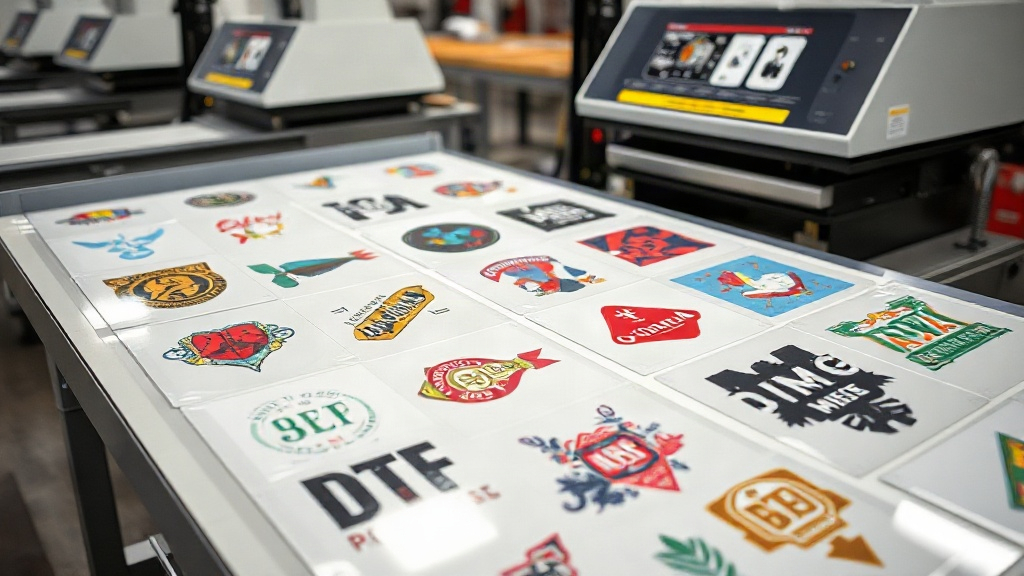
If you're in the custom apparel business, you've likely heard about DTF printing. But have you mastered the art of the DTF gangsheet? This powerful technique allows you to print multiple designs in a single transfer, saving time, money, and materials. In this guide, we'll dive deep into what a DTF gangsheet is, why it matters, and how you can use it to scale your production.
What Exactly Is a DTF Gangsheet?
A DTF gangsheet is a single sheet of DTF transfer film that contains multiple designs printed together. Instead of printing each design individually, you arrange them efficiently on one sheet, maximizing the use of space. This is especially useful for small to medium-sized orders where you need a variety of designs but want to minimize waste.
Think of it as a digital sticker sheet for your heat press. You can gang up different sizes, colors, and even different logos on one sheet, then cut them out and apply them as needed. The DTF gangsheet approach is a game-changer for print shops that handle diverse orders daily.
Why Use a DTF Gangsheet?
There are several compelling reasons to adopt DTF gangsheet printing in your workflow:
- Cost efficiency: By maximizing the use of each sheet, you reduce film and powder waste, lowering your cost per print.
- Time savings: Printing multiple designs at once means fewer setup changes and faster production.
- Consistency: All designs on the sheet go through the same printing and curing process, ensuring uniform quality.
- Flexibility: You can combine different sizes and quantities to meet specific order requirements without overproducing.
For a busy shop, these benefits quickly add up. A well-planned DTF gangsheet can cut your material costs by 20-30% and double your output.
How to Create a DTF Gangsheet
Creating a gangsheet involves a few key steps, from design preparation to printing. Let's break it down.
1. Design Preparation
Start by gathering all the designs you need to print. Ensure each design is in a high-resolution format (300 DPI or higher) with transparent backgrounds. If you're using vector files, even better. Next, arrange them in your design software (like Adobe Illustrator or Photoshop) on a canvas that matches your film size. Common film sizes are 13"x19", 16"x20", or 24"x36".
Leave a small gap (about 0.25 inches) between designs to make cutting easier. Also, add registration marks if your printer requires them. The goal is to fit as many designs as possible without compromising print quality.
2. Printing and Powdering
Once your gangsheet is laid out, print it using your DTF printer. After printing, apply hot melt adhesive powder evenly over the wet ink. Shake off excess powder, then cure the sheet in an oven or with a heat press. The powder melts and creates a strong bond when heat-pressed onto fabric.
Pro tip: Use a powder shaker machine for even application. This reduces waste and ensures consistent adhesion.
3. Cutting and Pressing
After curing, your gangsheet is ready. Cut out each design using scissors or a vinyl cutter. For intricate designs, a cutting machine with a contour cut feature is ideal. Then, heat press each design onto your garment following the recommended temperature, pressure, and time (usually 300-320°F for 10-15 seconds).
Best Practices for DTF Gangsheets
To get the most out of your gangsheets, follow these best practices:
- Optimize nesting: Use software that automatically nests designs to minimize gaps. This reduces film waste.
- Group by color: If you're printing multiple designs, group them by color intensity to ensure even powder application and curing.
- Test your layout: Before printing a full sheet, do a test print on plain paper to check alignment and spacing.
- Keep a library: Save your gangsheet layouts for repeat orders. This saves time when reordering popular designs.
- Mind the grain: DTF film has a grain direction. Ensure your designs are oriented correctly for consistent stretch and feel.
These practices not only improve efficiency but also enhance the final product's quality and durability.
Common Mistakes to Avoid
Even experienced printers make mistakes with gangsheets. Here are some pitfalls to watch out for:
- Overcrowding: Packing too many designs can lead to ink smudging or powder clumping. Leave adequate space.
- Inconsistent powdering: Uneven powder leads to poor adhesion. Use a shaker or manual sifter for even coverage.
- Improper curing: Under-curing causes designs to peel; over-curing makes them brittle. Follow your powder's guidelines.
- Ignoring film size: Using the wrong film size for your printer can cause jams. Always match film to printer specifications.
By avoiding these mistakes, you'll save time and materials, and keep your customers happy.
DTF Gangsheet vs. Other Methods
How does DTF gangsheet compare to screen printing or vinyl? For small batches with multiple designs, gangsheets win hands down. Screen printing requires separate screens per color per design, which is costly for small runs. Vinyl is great for single-color designs but not for complex graphics. DTF gangsheets offer vibrant colors, fine details, and no color limitations, all in one sheet.
Moreover, DTF transfers work on a wide range of fabrics, including cotton, polyester, and blends, without the need for pre-treatment. This versatility makes them a favorite among print shops.
Frequently Asked Questions
What is the maximum size for a DTF gangsheet?
The maximum size depends on your printer and film. Common sizes are up to 24 inches wide and 36 inches long, but some industrial printers can handle larger sheets. Check your printer's specifications.
Can I reuse a DTF gangsheet after cutting?
No, once you cut out the designs, the remaining film is waste. However, you can save the digital layout for future prints.
How do I store DTF gangsheets before pressing?
Store them in a cool, dry place, away from direct sunlight. Keep them flat to prevent curling. Use a resealable bag to protect from dust and moisture.
Do I need a special printer for DTF gangsheets?
Yes, you need a DTF printer that uses DTF ink and film. Converted inkjet printers can work, but dedicated DTF printers offer better reliability and color vibrancy.
What fabrics can I apply DTF transfers to?
DTF transfers adhere to cotton, polyester, nylon, leather, and blends. They work well on both light and dark fabrics.
Mastering the DTF gangsheet is a skill that pays off. By planning your layouts, following best practices, and avoiding common mistakes, you'll streamline your production and increase your bottom line. Whether you're a small home-based shop or a large commercial printer, gangsheets are a smart addition to your workflow.