
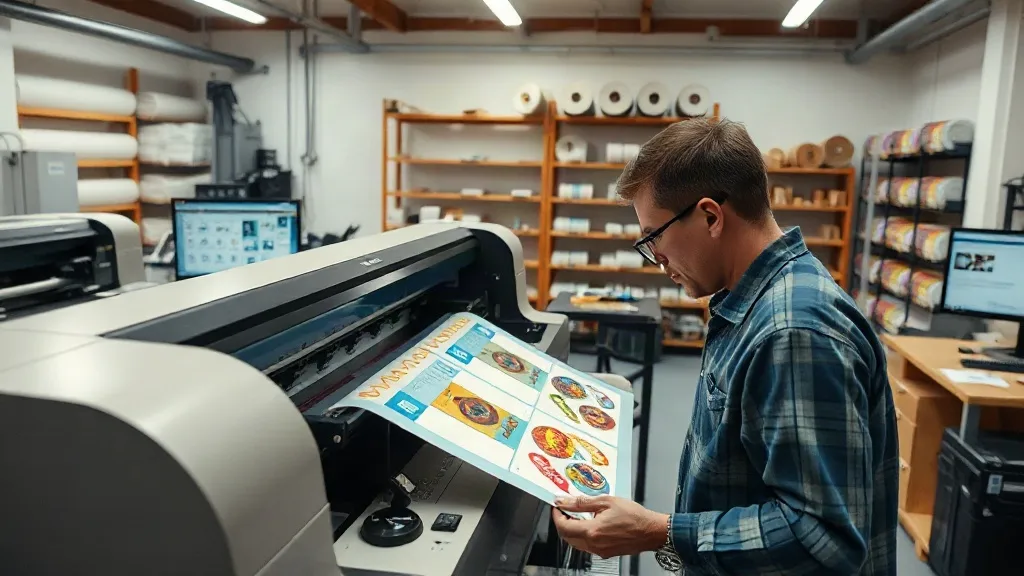
Running a successful DTF printing business requires more than just a quality printer and vibrant inks. The way you manage your DTF Gangsheet production directly impacts your bottom line. Every square inch of film and every drop of ink counts, and small improvements in your workflow can lead to significant savings over time. In this guide, we'll explore actionable strategies to help you get the most out of your DTF gangsheet printing, from selecting the right film to optimizing your layouts and managing ink coverage. Whether you're a seasoned pro or just starting out, these insights will help you reduce waste, increase efficiency, and boost profitability.
Understanding the DTF Gangsheet Workflow
Before diving into optimization techniques, it's important to grasp the fundamentals of DTF gangsheet printing. A DTF gangsheet is essentially a large sheet of film on which multiple designs are printed simultaneously using DTF (Direct-to-Film) technology. The printed sheet is then coated with adhesive powder, cured, and later pressed onto garments. This method is highly efficient for producing multiple transfers in one go, but it also introduces opportunities for waste if not managed carefully.
The Role of Film in Your Gangsheet
The film you choose is the foundation of your gangsheet. Not all DTF films are created equal; they vary in thickness, release characteristics, and compatibility with different inks and powders. Using the wrong film can lead to poor adhesion, color inconsistency, and wasted materials. It's crucial to select a film that matches your printer's specifications and your typical production volume. For instance, a thinner film might save on material costs but could be prone to curling or jamming, causing downtime and waste. On the other hand, a thicker film may offer better stability but at a higher cost per sheet. Finding the right balance is key.
Ink Management: More Than Just Colors
Ink is another major cost component in DTF printing. While it's tempting to focus solely on achieving vivid colors, how you manage ink coverage can have a profound effect on your expenses. Over-inking not only wastes money but can also lead to bleeding, longer drying times, and poor transfer quality. Conversely, under-inking results in dull, washed-out prints. The goal is to apply just enough ink to achieve the desired opacity and vibrancy without excess.
Strategies to Optimize Film Usage
Now that we've covered the basics, let's explore practical ways to make your film usage more efficient.
1. Nesting and Layout Optimization
One of the most effective ways to reduce film waste is through smart nesting of designs. Nesting involves arranging your designs on the gangsheet in a way that minimizes empty space. This requires careful planning, but the savings can be substantial. Use your design software to rotate and align elements, filling gaps with smaller designs or repeating patterns. Remember that the goal is to utilize as much of the film area as possible without compromising print quality or causing overlaps that could ruin the transfer.
2. Choose the Right Film Width
DTF films come in various widths, and selecting the appropriate width for your typical job sizes can prevent unnecessary trimming and waste. If you frequently print small designs, a narrower roll might be more economical than a wide one that leaves large margins. Evaluate your order history and choose film widths that align with your most common design dimensions.
3. Reuse and Recycle
While DTF film is not infinitely reusable, there are opportunities to salvage offcuts or misprints. For instance, small test prints or calibration patterns can be done on leftover film strips. Additionally, consider partnering with recycling facilities that accept plastic films to reduce environmental impact.
Ink Coverage and Cost Control
Ink is a significant expense, but with mindful practices, you can keep it under control.
1. Calibrate Your Printer Regularly
Regular calibration ensures that your printer applies the correct amount of ink for each design. Over time, print heads can become misaligned, leading to over-inking in some areas and under-inking in others. By calibrating regularly, you maintain consistency and avoid waste.
2. Use ICC Profiles
ICC profiles help standardize color output across different devices and materials. Using the correct profile for your specific film and ink combination can reduce the need for trial and error, saving both ink and time.
3. Optimize Design Files
Sometimes, designs are created with excessive ink coverage due to unnecessary layers or effects. Review your design files and simplify where possible. For example, using solid colors instead of gradients can reduce ink usage without sacrificing visual appeal. Also, ensure that your designs are set to the correct resolution and color mode to avoid unnecessary ink consumption.
Quality Control: The Hidden Cost Saver
Maintaining high quality isn't just about customer satisfaction; it's also a cost-saving measure. Rework and returns due to poor quality can eat into your profits. Implement a robust quality control process that includes checking the gangsheet after printing and before pressing. Catching issues early prevents wasted film, ink, and labor.
Case Study: How One Shop Cut Waste by 30%
Consider the experience of a mid-sized DTF printing shop that implemented a few simple changes. By optimizing their nesting layouts and switching to a film width that better matched their typical orders, they reduced film waste by 30%. Additionally, they calibrated their printer weekly and trained staff on proper ink management, leading to a 15% reduction in ink costs. These changes not only improved their bottom line but also reduced their environmental footprint.
Frequently Asked Questions
What is the best film thickness for DTF gangsheets?
The ideal film thickness depends on your printer and typical designs. Thinner films (around 75 microns) are cost-effective and work well for detailed designs, while thicker films (100 microns) offer better durability for bold, heavy ink coverage. Test different thicknesses to see what works best for your setup.
How can I reduce ink usage without sacrificing color vibrancy?
Focus on proper color management with ICC profiles, calibrate your printer regularly, and simplify design files where possible. Using the correct amount of white ink as a base also helps achieve vibrancy with less color ink.
Can I reuse DTF film after printing?
No, DTF film is designed for single use. However, you can use offcuts for small test prints or calibration, reducing waste.
What are common mistakes that lead to film waste?
Common mistakes include poor nesting, using the wrong film width, not calibrating the printer, and neglecting quality checks. Addressing these can significantly cut waste.
How do I choose the right DTF film for my shop?
Consider your printer's specifications, typical design sizes, and production volume. Consult with suppliers and test samples to find the film that offers the best balance of cost and performance.