
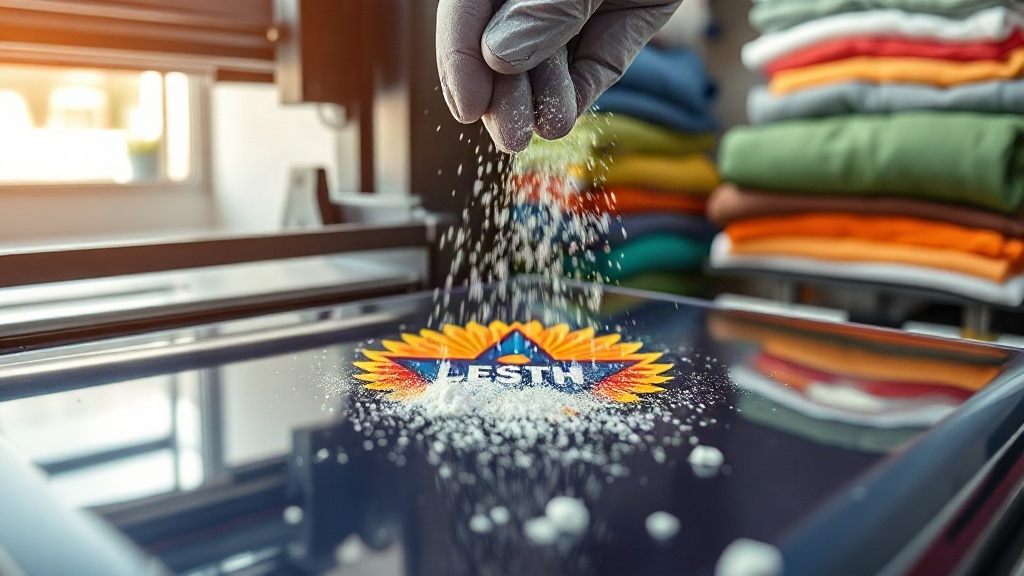
Imagine pressing a vibrant, full-color design onto a cotton shirt in minutes, with no weeding, no cutting, and no color limitations. That's the promise of DTF printing, a technology that has exploded in popularity among crafters and small business owners. Unlike vinyl or sublimation, DTF (Direct to Film) transfers work on almost any fabric, from cotton and polyester to blends and even leather. In this guide, I'll walk you through the entire process, share practical tips I've learned from countless trials, and help you avoid common pitfalls.
What Exactly Is DTF Printing?
DTF printing is a digital printing method where your design is printed onto a special PET film using water-based pigment inks. While the ink is still wet, a fine thermoplastic powder is applied, then cured. The result is a flexible, stretchable transfer that can be heat-pressed onto garments. The magic lies in the adhesive powder: it bonds the ink to the fabric, creating a durable print that survives dozens of washes.
The process differs from DTG (Direct to Garment) because you're not printing directly onto the shirt; instead, you create a transfer that can be stored and applied later. This makes DTF ideal for small batches, personalized items, and designs with fine details or gradients.
Why Choose DTF Over Other Methods?
If you've tried heat transfer vinyl (HTV) or sublimation, you know their limitations. HTV requires weeding, which is time-consuming for complex designs, and sublimation only works on light-colored polyester. DTF sidesteps these issues. Here's why it stands out:
- Fabric versatility: Works on cotton, polyester, blends, nylon, leather, and more.
- No weeding: The printer handles all the cutting, so you save hours on intricate designs.
- Full-color: Print photorealistic images with gradients and fine lines.
- Durability: When applied correctly, DTF prints withstand 50+ washes without fading or cracking.
- Cost-effective for small runs: No minimum order, and you can print one-offs.
However, DTF isn't perfect for every situation. It adds a slight texture to the fabric, which some people dislike on lightweight shirts. Also, the initial investment in a printer and supplies can be steep. But for many, the benefits outweigh the drawbacks.
Step-by-Step DTF Printing Process
Let's break down the workflow from digital file to finished garment. I'll assume you have a dedicated DTF printer, but the principles apply even if you outsource printing.
1. Design Preparation
Start with a high-resolution image (300 DPI) in CMYK color mode. Mirror the design horizontally because you'll press it face-down. If your design has white areas, you'll need a white ink base; most DTF printers handle this automatically, but check your software settings. Save the file as a TIFF or PNG with transparency.
2. Printing onto Film
Load the PET film into your printer, ensuring the coated side faces the printhead. DTF printers use pigment inks that are formulated to sit on the film without soaking in. Print the design, and while it's still wet, proceed immediately to powdering. If you wait too long, the ink dries and the powder won't stick.
3. Applying Adhesive Powder
Sprinkle the thermoplastic powder evenly over the wet print. You can use a manual shaker or an automatic powder applicator. Gently tilt the film to remove excess powder, then tap the back to distribute it evenly. The goal is a thin, uniform layer that covers all ink without clumps.
4. Curing the Powder
Place the film in a curing oven or under a heat press at 320°F (160°C) for 2-3 minutes. The powder melts and becomes clear, indicating it's cured. Overcuring can make the transfer brittle, so follow your powder's recommendations. Once cured, the film can be stored in a cool, dry place for weeks.
5. Heat Pressing onto Fabric
Preheat your heat press to 325°F (163°C) with medium pressure. Place the garment on the platen, position the transfer face-down, and press for 15-20 seconds. Let it cool completely before peeling the film. For best results, use a Teflon sheet or parchment paper to protect the print.
Common Mistakes and How to Avoid Them
Even experienced crafters run into issues. Here are the most frequent problems and their solutions:
- Powder not sticking: The ink was too dry. Work faster or increase humidity in the room.
- Cracking after wash: Under-cured powder or insufficient pressure during pressing. Increase curing time or pressure.
- Dull colors: Overcuring or too high press temperature. Lower the temperature and check your ink profile.
- Transfer peeling: Not enough pressure or pressing time. Use a pressure gauge and test with a scrap fabric.
I always recommend doing a test press on a similar fabric before committing to a large order. It saves time and material.
Choosing the Right Supplies for DTF
Not all films and powders are created equal. For consistent results, invest in quality materials. Look for films with a consistent coating; cheap films can cause ink smearing. Powders should be fine-grained and melt evenly. Your ink choice matters too: use DTF-specific pigment inks, as regular inks may clog the printhead or not adhere to the powder.
If you're just starting, consider buying a starter kit that includes film, powder, and ink. It takes the guesswork out of compatibility.
Is DTF Printing Right for Your Business?
If you offer custom apparel, DTF can expand your offerings. You can print on demand, handle complex designs, and cater to customers who want small batches. The per-unit cost is higher than screen printing for large runs, but for one-offs or personalized items, it's unbeatable. Plus, the soft feel and durability keep customers coming back.
Frequently Asked Questions
How long does a DTF transfer last on a shirt?
With proper application and care, a DTF transfer can last 50 washes or more. Wash the garment inside out in cold water and tumble dry low. Avoid bleach and fabric softener, which can degrade the adhesive.
Can I use DTF on dark and light fabrics?
Yes, DTF works on both. The white ink base ensures colors pop on dark fabrics, while on light fabrics, the white base might be omitted or used selectively. Your printer software handles this automatically.
Do I need a special printer for DTF?
You can convert an Epson printer with a DTF ink system, but dedicated DTF printers are more reliable. They have built-in powder applicators and curing units, streamlining the process. If you're serious, invest in a dedicated machine.
What fabrics cannot be used with DTF?
DTF adheres to most fabrics, but it may not work well on highly textured surfaces like corduroy or on waterproof materials. Always test on a swatch first.
How do I store DTF transfers?
Keep them in a cool, dry place away from direct sunlight. Place them flat or roll them loosely; avoid folding, which can crack the powder. Properly stored transfers remain usable for several months.
With practice, DTF printing becomes second nature. The key is to control variables: consistent powder application, precise curing, and even pressure. Once you dial in your process, you'll wonder why you ever bothered with weeding vinyl. Happy printing!